
Trilogy Studio
Trilogy Studio
Fast, Flexible, Productive
Data exploration tooling that speeds you up - from initial query to long-term maintenance
Trilogy Studio is a purpose-built IDE - and component library - to accelerate your analytics.
- Write less SQL, run it faster, and reuse what you write
- Refactor with confidence and ease
- Native language support, with syntax highlighting, auto-complete, and more
- Fast, interactive dashboards
- Built-in agent chat with interactive charts, tables, and artifacts - optional but powerful
Connect directly to your cloud data in Bigquery or Snowflake - or use DuckDB to access any cloud or local structured data - and dive right into exploration.
Try a cloud hosted version here, and use the embedded docs and tutorials to get started.
Getting Started
Tips
You can also run the studio - and backing services - locally! Local data exploration can run offline; cloud databases and AI providers still need their respective connections.
Native Semantic Layer
The shareable semantic layer provided by Trilogy gives you a single source of truth for all users (and AI). Stop trying to wrangle definitions and keep dashboards from rotting - update your layer in one place, and all resources automatically inherit it.
Rich Editing
Query Trilogy models directly, or use SQL for raw database access. Easily chart and visualize results.
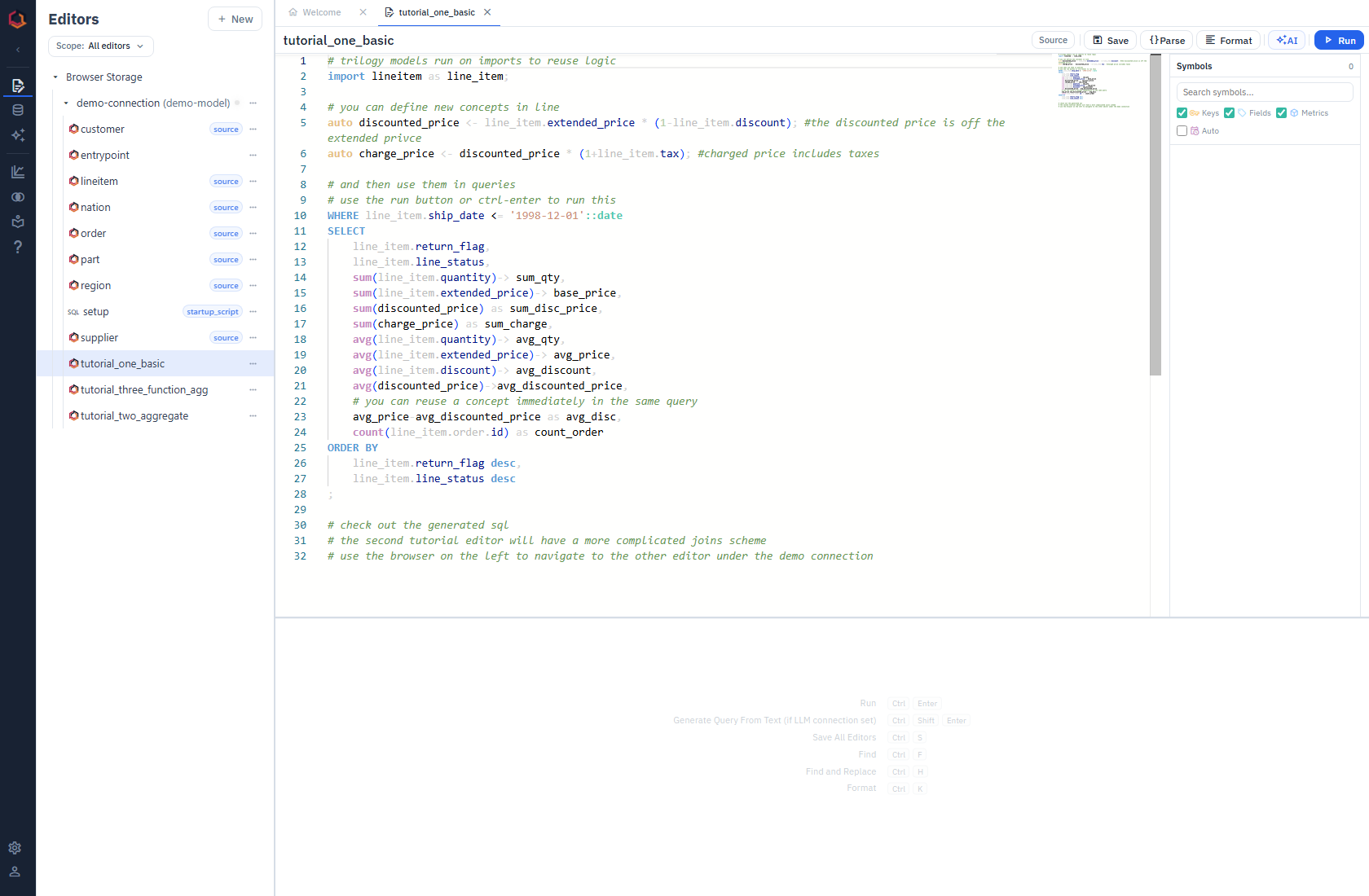
The app contains a guided tour which will walk you through navigation and interface.
Full-Featured Dashboarding
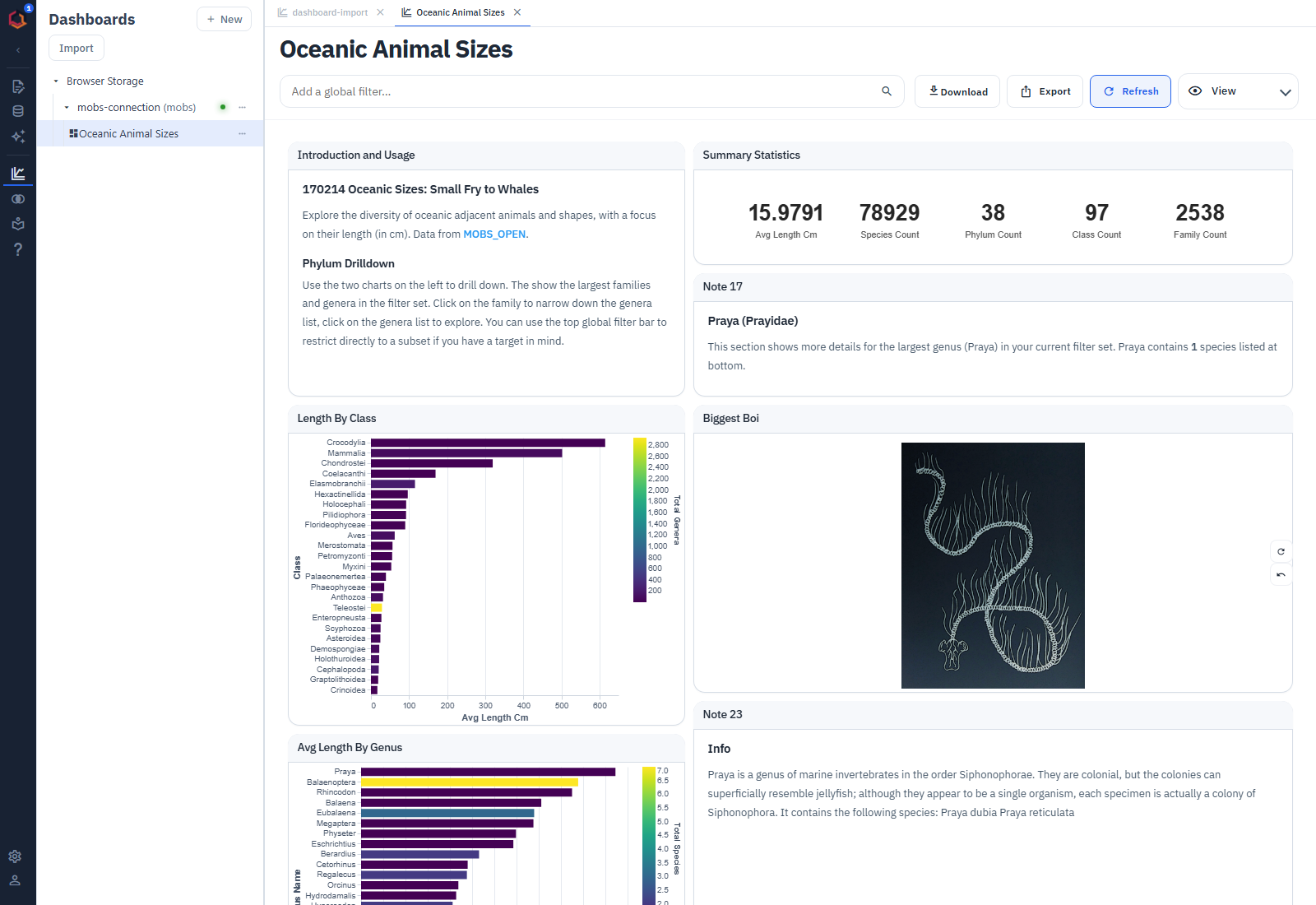
Assemble multiple queries together into dashboards with native interactivity and the full power of SQL for filtering.
Stop wrestling with complicated datasources and queries; connect your model and have a beautiful dashboard in minutes.
Supports all typical charts and widgets, with defaults that just work out of the box. Can be easily extended to support more as an open-source project.
Public Sharing
Build public dashboards and share them with others with a streamlined import feature. Download as PNGs for export and email.
Agent Chat and Artifacts
Love LLMs? Studio has a built-in agent chat for interactive analytics - just bring your own API key or try a demo key. Choose your model and data connection, ask a question, and let the agent explore your Trilogy model, run queries, and build artifacts as it goes.
Start with a question like "show monthly sales", then follow up with "break that out by region" or "chart the trend". The conversation gives you a way to refine the analysis without starting over every time.
- Tables and charts keep results interactive, with the underlying Trilogy and generated SQL available to inspect.
- Markdown artifacts bring summaries and query results together into a report.
- Publish chat artifacts as a dashboard to keep exploring and reuse the analysis.
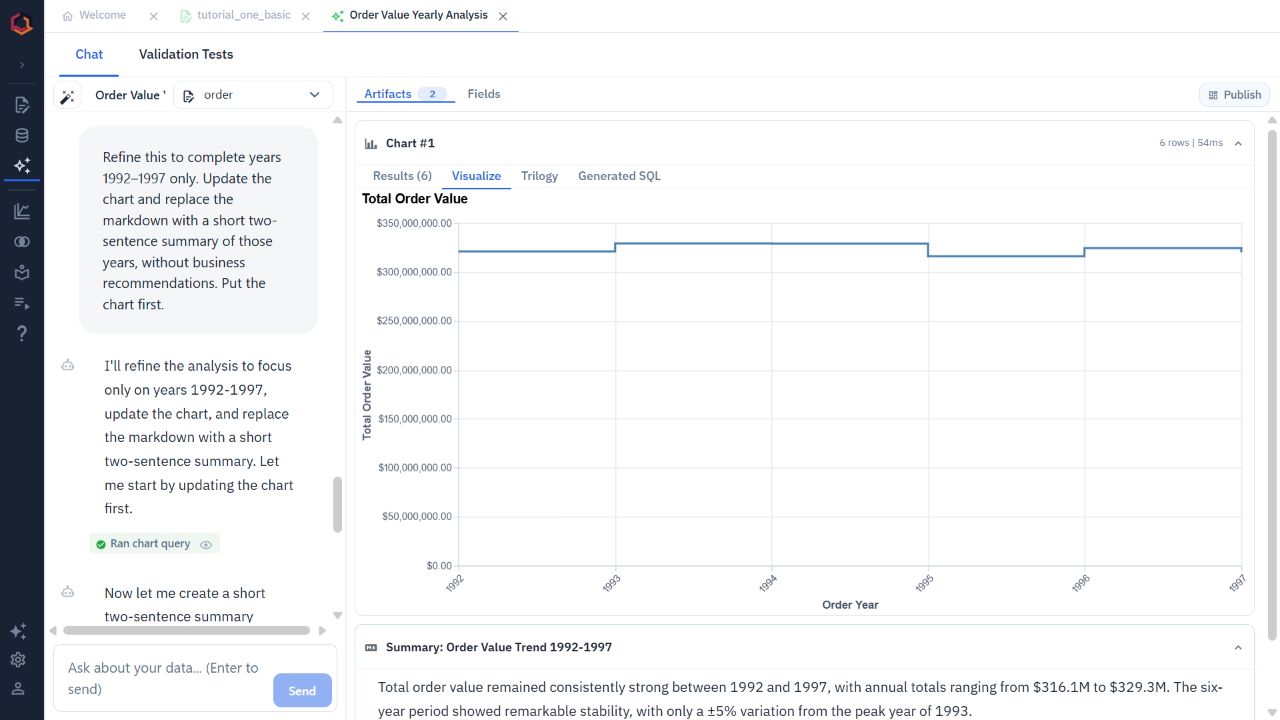
Ask a follow-up, narrow the time range, and keep the updated chart and summary together. Here, the hosted demo is exploring sample order data.
The chat uses the same semantic layer as your hand-written queries and dashboards. Define a metric once, and both you and the agent can work with it.
Hate AI? AI features are optional, and the metadata that powers them makes you - and your team - faster even if you skip AI.
Building your own agent workflow? See Agentic Integrations for using Trilogy as the data access layer in your own loop.
Comparisons
Read more about Trilogy vs Looker Studio.
Support
Current support is focused on popular databases for analytics:
- DuckDB
- BigQuery
- Snowflake
Code
Trilogy Studio is open-source under the MIT license.
Explore - and star! on Github.
Contributions welcome!
The Stack
Trilogy Studio is a Vue app built on top of Monaco Editor - which powers VS Code - and Vega, a powerful modern visualization library.
Tips
Trilogy Studio is a simple way to run Trilogy directly against your databases, but it's not the only way! Don't forget you can run Trilogy directly from python or compile your Trilogy to SQL and run in your own favorite IDE.